

Disclosure: We earn commissions when you shop through the links below.
Serverless was supposed to save us. No infrastructure to manage, infinite scaling, "pay for what you use." It sounded perfect.
Then the bill arrived.
If you are running a hobby project, Vercel is fantastic. But the moment you scale—or worse, add a second team member—you hit the "Vercel Tax." $20 per user/month? $55 for 100GB of bandwidth? Suddenly, your "lean" startup is burning cash on infrastructure markup that rivals a luxury car lease.
In 2026, the pendulum is swinging back. We aren't going back to managing bare metal manually; we are moving to Coolify. It gives you the Vercel experience (git push to deploy, preview URLs, SSL) on your own $6 VPS.
Here is how to fire your cloud landlord and own your infrastructure.
The Economics: Why You Are Bleeding Money
Let’s look at the math. Vercel charges premium rates because they abstract away the AWS complexity. You are paying for convenience. But tools like Coolify have commoditized that convenience.
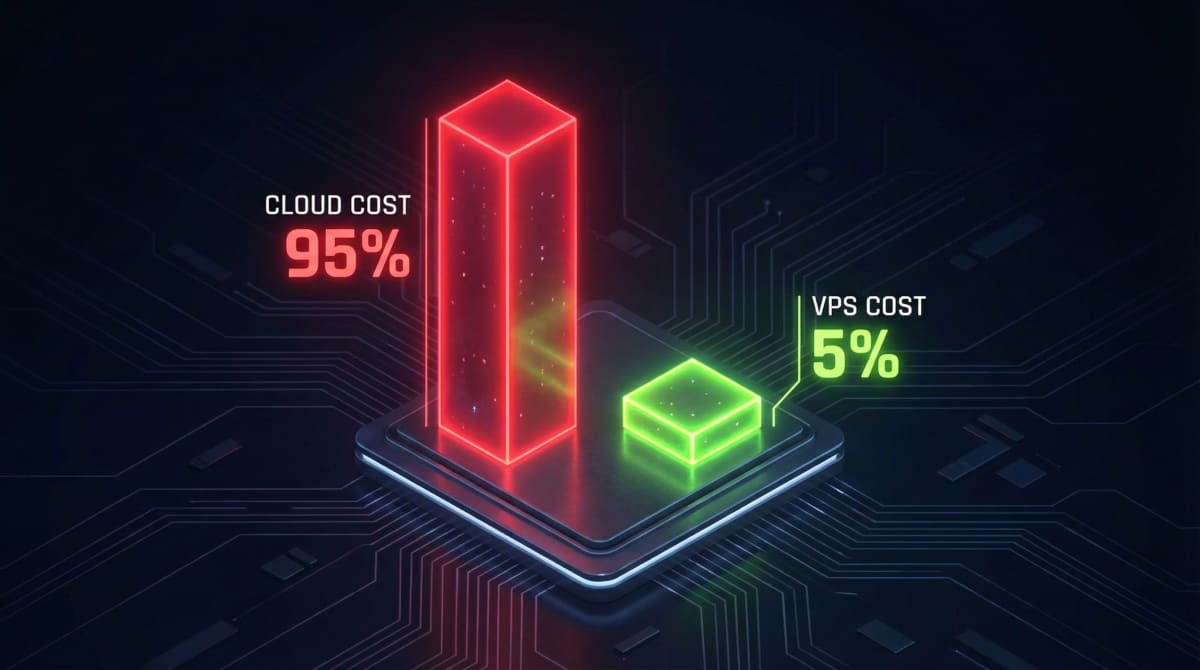
- Vercel Pro: $20/month per user + usage overages.
- Your Own VPS: ~$6.00/month flat fee. Unlimited users. Predictable limits.
You can host 10 different Next.js apps, a Postgres database, and a Redis instance on a single 4vCPU VPS. On Vercel + Neon + Upstash, that same stack splits into three different bills.
Pro Tip: Owning the infrastructure also solves compliance headaches. Data residency becomes a checkbox, not a negotiation.
Prerequisites: The Hardware
You need a Linux server. You don’t need an AWS EC2 instance (which is essentially a mortgage in disguise). You need a standard KVM VPS.
For this guide, I’m using Hostinger. Their KVM 2 plan hits the sweet spot for developers: 2 vCPU, 8GB RAM, and NVMe storage. It’s significantly faster than a standard DigitalOcean Droplet for the same price.
🔥 Get the Hostinger KVM 2 Plan (60% Developer Discount)
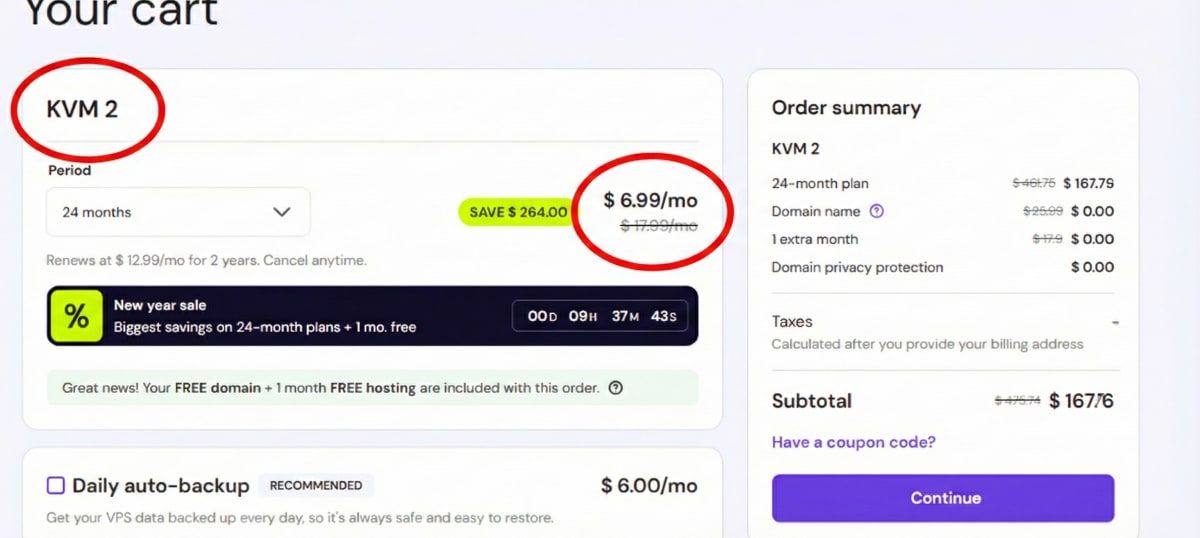
Make sure to select Ubuntu 24.04 as your OS. It’s the gold standard for Docker stability in 2026.
Step 1: Accessing Your Server
Once you’ve purchased your VPS, don't use the web terminal. It’s sluggish. Open your local terminal and SSH in like a pro.
ssh root@your-vps-ip-addressUpdate your packages immediately. Security isn't optional.
apt update && apt upgrade -yStep 2: Installing Coolify (The "One-Click" Magic)
Coolify is an open-source, self-hosted Heroku/Vercel alternative. It handles Docker, SSL certificates (Let's Encrypt), and reverse proxies automatically.
Run this command on your VPS:
curl -fsSL https://cdn.coollabs.io/coolify/install.sh | bash
This script installs Docker, sets up the Coolify dashboard, and configures the firewall. It takes about 3-5 minutes. Go grab a coffee. When you come back, it will give you a URL (e.g., http://your-ip:8000) and login credentials.
Step 3: Deploying Next.js
Log in to your new Coolify dashboard. You'll notice the UI is clean—remarkably similar to the platforms you're used to.

- Connect Source: Link your GitHub or GitLab account.
- Create Project: Click "+ New Resource" and select your Next.js repository.
- Build Pack: Coolify usually auto-detects Next.js. If you are using a strictly static site, you might want to look at why frameworks like SvelteKit handle static adapters differently, but for Next.js, the default
Nixpacksbuilder works flawlessly. - Environment Variables: Paste your `.env` file contents here.
- Deploy: Hit the button.
Coolify will pull your code, build the Docker image, and spin up the container. It even assigns a free SSL certificate if you point your domain to the VPS IP.
Performance: Is It Actually Fast?
The biggest myth is that Vercel is faster because of their Edge Network. For static assets, yes, a CDN is unbeatable. But for server-side rendering (SSR), a VPS often wins.
Why? Cold starts.
On Serverless, if your app hasn't been visited in a while, the function goes to sleep. The next user waits 2-3 seconds. On a VPS, your Node.js server is always running. The response is instant.
However, speed isn't just about the server. If your code is bloated, a VPS won't save you. Before you migrate, make sure you audit your current build. We wrote a guide on fixing common technical SEO and speed issues that you should run against your new deployment.
The "Gotchas" (Read This Before Switching)
I won't lie to you—self-hosting requires slightly more responsibility than a managed platform.
- Database Backups: Vercel/Neon handles this. With Coolify, you need to configure the built-in backup to S3 (AWS/MinIO/R2). Do not skip this.
- DDoS Protection: You lose the enterprise-grade shield of Cloudflare that Vercel provides by default. I highly recommend proxying your DNS through Cloudflare (free tier) to hide your VPS IP.
- Updates: You need to occasionally run
apt upgradeon your server. It takes 30 seconds a month.
If you are looking to build a career where you handle this level of infrastructure, adding "Linux Administration" and "Docker" to your resume is a massive power move. Check out our ultimate guide to web dev trends in 2026 to see where DevOps skills fit into the market.
Frequently Asked Questions
Is Coolify free to use?
Yes, Coolify is 100% open-source and free. You only pay for the VPS (server) you run it on.
Can I host databases on the same VPS?
Absolutely. Coolify allows you to one-click install PostgreSQL, MySQL, Redis, and MongoDB directly on the same server, saving you even more money.
The Verdict
Vercel is great for prototyping. But paying $20/month per seat just to host a dashboard is financial negligence in 2026.
For $6/month, a Hostinger VPS combined with Coolify gives you:
- Unlimited projects.
- Zero cold starts.
- Data ownership.
- No surprise bills.
Stop renting your tech stack. Buy the house.